
Status represents the Sip Statuses that will use in various scenarios in the system. we can set the following statuses:
-
Main Table :

In this table all of the Statuses that are Available, you can always create your own statuses
1. Table Columns:
- Date when the Extension were created
- if it’s enabled or not
- Status's Name
- Status's Type , type can be either :
-
- Feedback - used for feedback status when calls end
- Agent - Used for Custom Agent Statuses
- BlackList Disposition - Used for
2.List Actions
- On the top-right corner the “+New” icon is used to create new Statuses.
- The "refresh" icon will reload the table
3.Edit Actions
- Edit the Status
- Delete Status
- New / Edit Status :
Clicking on the “+New” button will refer you to the page where you can create a new Status
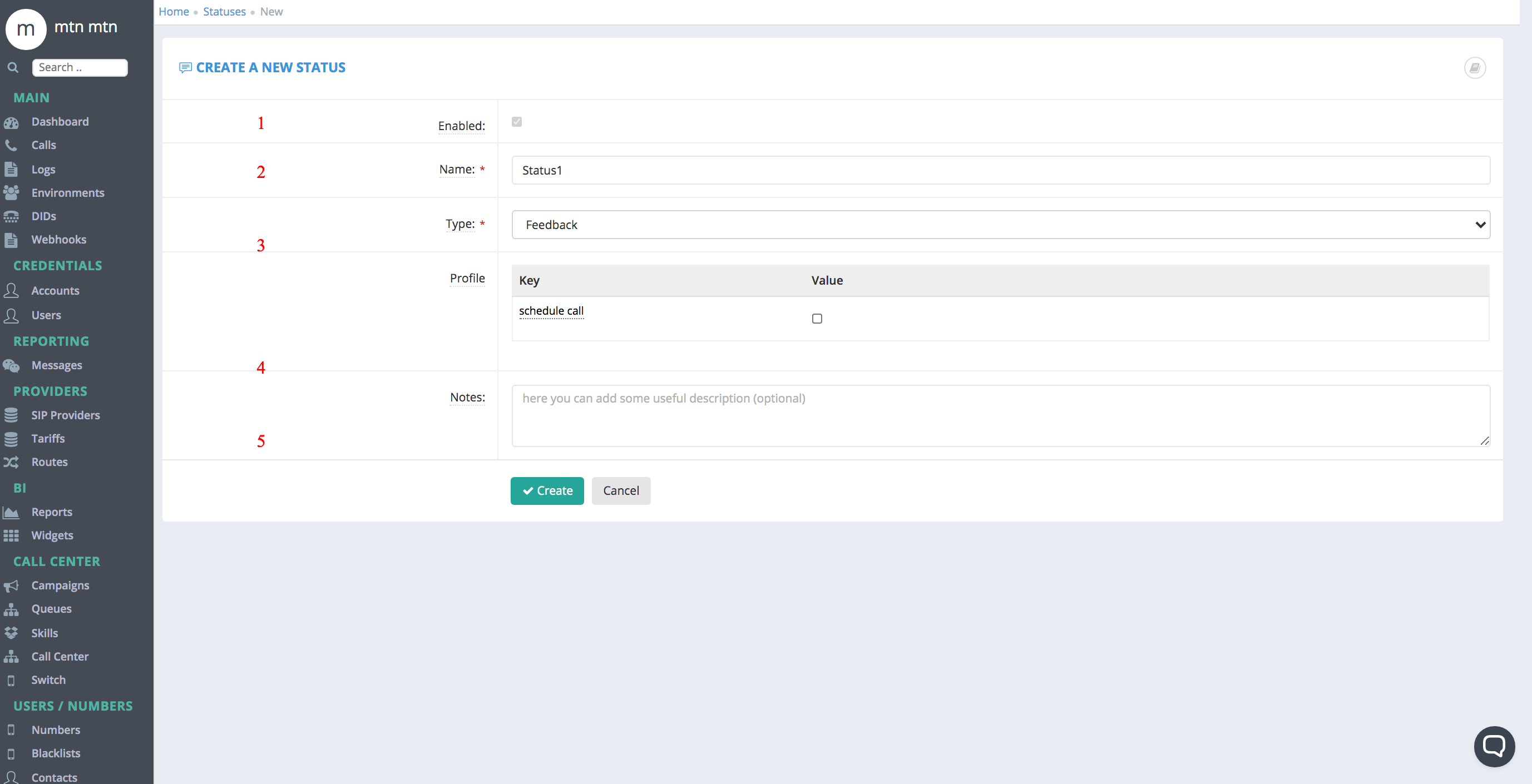
Fields:
These are the fields need to filled on order to Create DID
Note that most fields are pre-configured and should not be changed.
- Enabled - is status is enabled
- Name – the name of the Status
- Status's Type , type can be either :
-
- Feedback - used for feedback status when calls end
- Agent - Used for Custom Agent Statuses
- BlackList Disposition - Used for
-
- Profile:
- Used to set the Feedback type to "callback" and will popup a time
- Notes:
Comments
0 comments
Please sign in to leave a comment.