
Extension Groups:
Groups of extensions are useful when you would like to Distribute the Call with 1 or more extensions. By grouping the extensions together and choosing the ring strategy, you will effectively distribute the incoming calls to the whole group.
Note that it is assumed that all required extensions have already been defined. Go to Extensions for details.
Note that to add or edit an extension group open the Extensions Screen and select the "Groups" tab at the top of the screen.
-
Main Table:
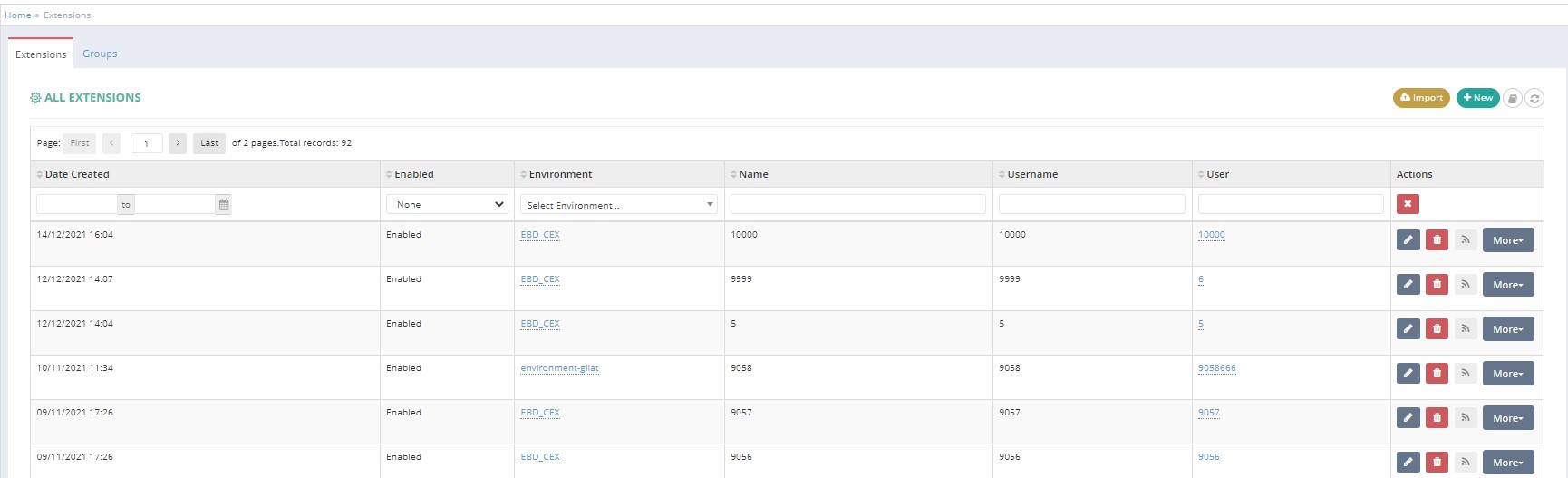
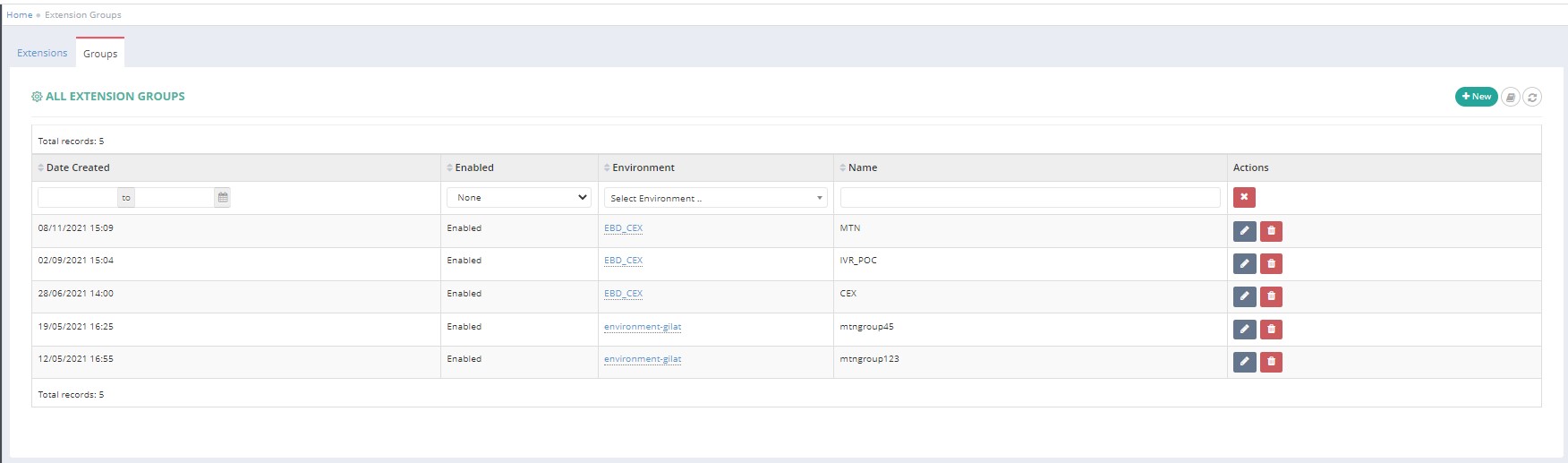
In the above screenes, all of the Extensions and Extension Groups which are associated to the Admin-user will be listed.
1. Table Columns:
- Date when the Extension Group was created;
- if it’s enabled or not
- Environment Name;
- Extension Group Name;
- The last column will be actions you can use to manage/edit the Environment,
2. On the top-right corner the “+New” icon is used to create new Extension Group. Also the "refresh" icon will reload the table.
3. Edit Options:
Clicking on the pencil icon ->>> will open the editing page for this Extension Group.
Clicking on the bin icon ->>> will delete the Extension Group.
Note that the extensions remain in the environment, only grouping of extensions will be deleted.
Edit Extension Group Screen
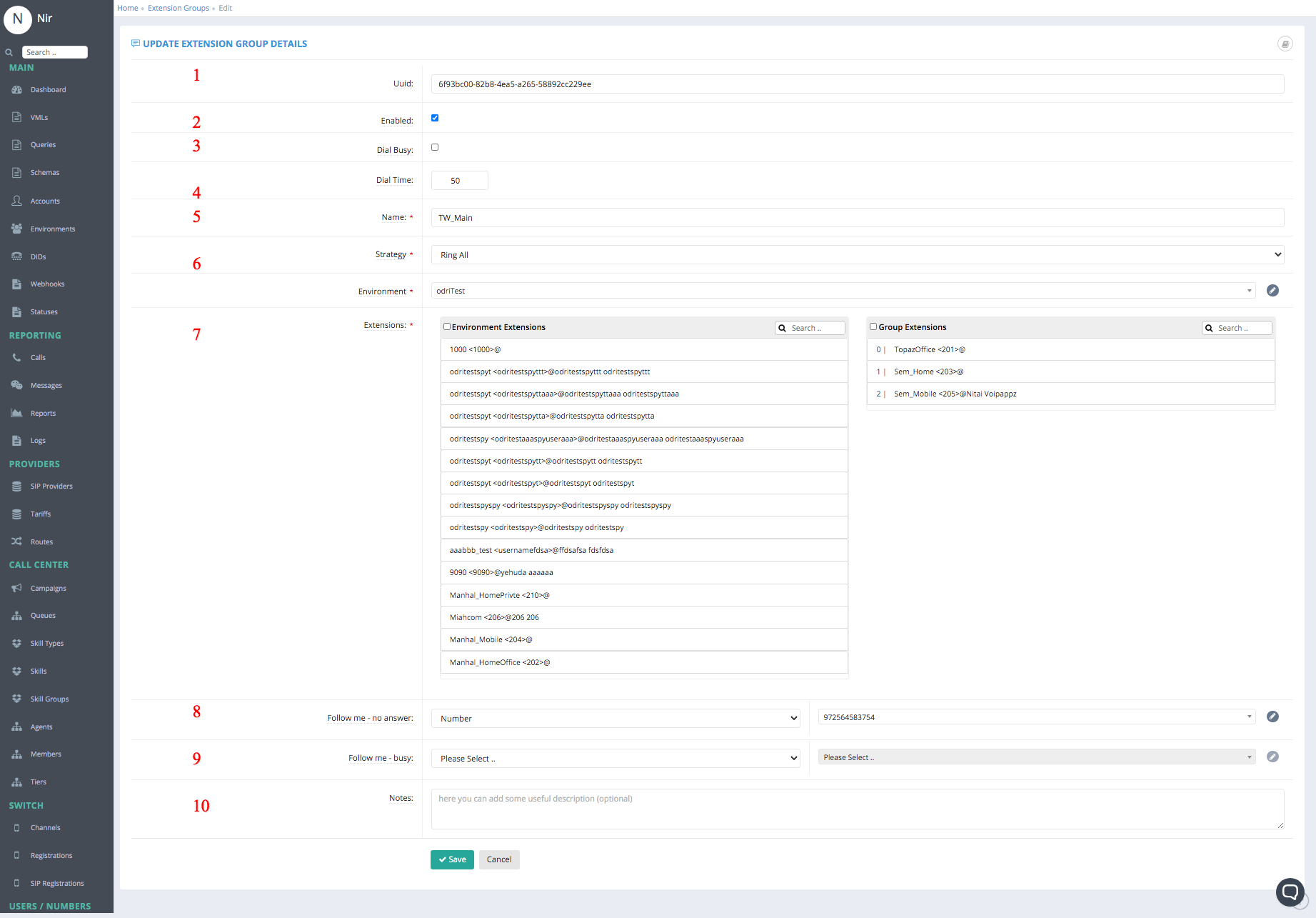
Fields:
These are the fields need to filled on order to Create DID
Note that most fields are pre-configured and should not be changed.
- A universally unique identifier (UUID) of the Extension Group
- Enabled - yes if checkbox is ticked
- Dial Busy -
- Dial Time - duration of ringing the extensions based on Strategy selected
- Name – the name of the Extension Group. Note that this name is a 4 digit number and shall be used in the DIDs screen to redirect the incoming call to the extension group
- Strategy - Strategy can be "Ring All" ->>> all grouped extensions will ring on incoming call if not busy, or "Hunt" ->>> ringing will "jump" between non-busy extensions until the call is answered.
- Environment – the name of the environment for the extension group where it is active. All environments available to the AdminUser will be listed.
- Extensions -
- Environment Extensions - This column shows all "non-grouped" extensions that are in the environment.
- Grouped Extensions - This column shows the extensions that are grouped under the "Name" selected for editing.
- You can drag-and-drop extensions between the columns as required.
- Follow me - no answer - Action after Call Timeout
-
Please Select the default activity in this case .. Announcement/Announcement Group/Campaign/Conference/Extension/Extension Group/Facsimile/Ivr/Number/Sip provider/Queue/Sbr/Time Condition/Vml/Voicemail
-
Please Select .. additional information that may be required depending on the above selection
-
- Follow me - busy - Action after Dial Busy
-
Please Select the default activity in this case .. Announcement/Announcement Group/Campaign/Conference/Extension/Extension Group/Facsimile/Ivr/Number/Sip provider/Queue/Sbr/Time Condition/Vml/Voicemail
-
Please Select .. additional information that may be required depending on the above selection
-
- Notes:
Press "Save" or "Cancel" when done.
New Group Screen
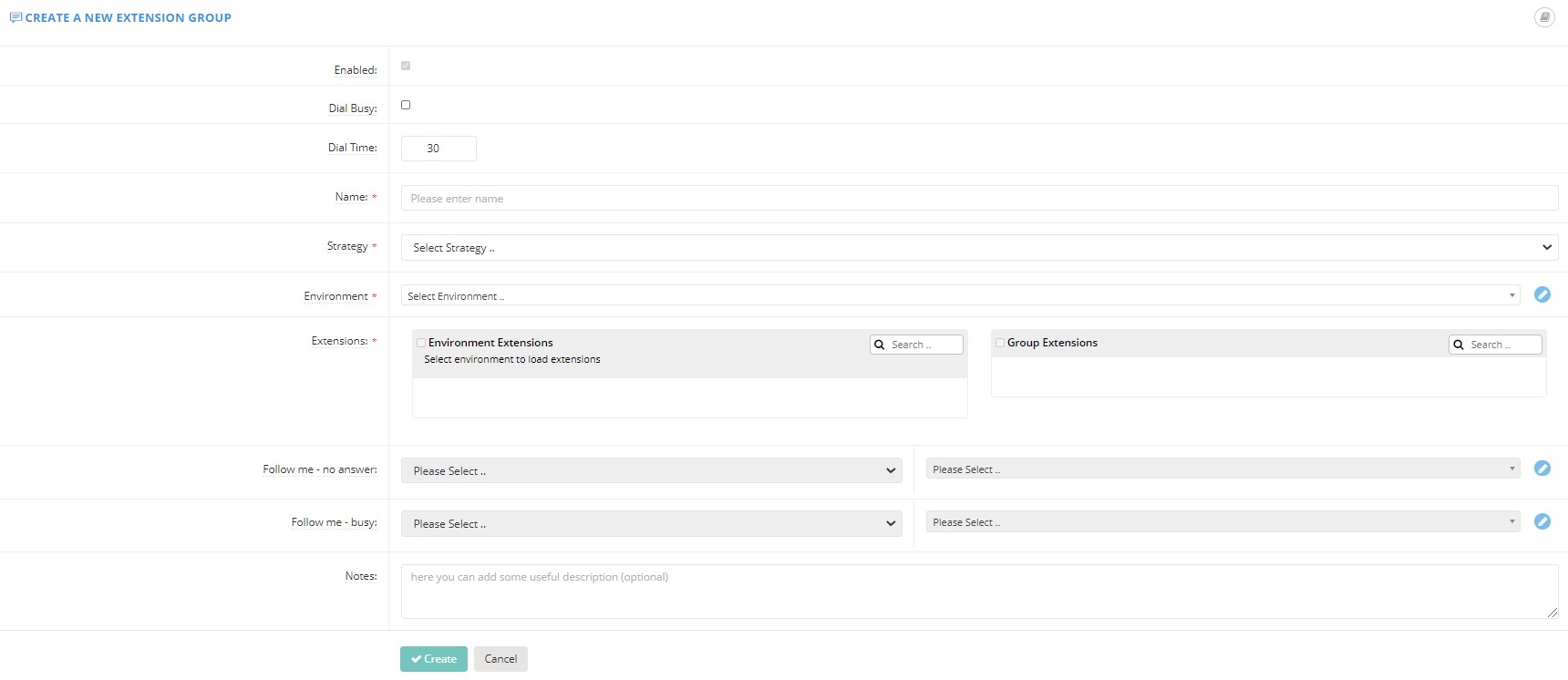
Fields - Similar to "Edit Extension Group" above.
Give the group a meaningful name such as "Home Appliance Sales" and press "Save" or "Cancel".
Usage note. To use the extension group, go to the DIDs screen, create/edit an incoming number DID and for Bridge field, select Extension Groups. Select the name of the extension group and Save.
Comments
0 comments
Please sign in to leave a comment.