
The voipappz system supports incoming fax only. If you need to setup a fax sending service, an analog PSTN phone and fax machine are required.
In order to receive faxed documents, you need to setup an extension as a extension for incoming faxes. The incoming fax will be placed on an email template and sent to the configured email address of the selected Extension (similar to voicemail recordings).
Note that a fax template has to be configured prior to creating and selecting the extension.
Also note that the selected extension can continue to function as an extension and , if configured for voicemail, receive those as well.
-
Main Table :

In this table all of the fax accounts that are assigned to the current Admin-user will be listed,
1. Table Columns:
- Date when the fax extension was created
- Fax Enabled/Disabled
- Fax Environment
- Name of the Fax Service (preferably use the extension number or username)
- The last column will be actions you can use to manage/edit the service
2. On the top-right corner the “+New” icon is used to create new fax service. Also the "refresh" icon will reload the table.
3. Actions -
Clicking on the pencil icon ->>> will open the editing page for the fax service.
Clicking on the bin icon ->>> will delete the service.
Clicking on the mail icon ->>> will open the screen for all faxes received.
-
New / Edit Fax Service:
Clicking on the “+New” button will refer you to the page where you can create a new Environment
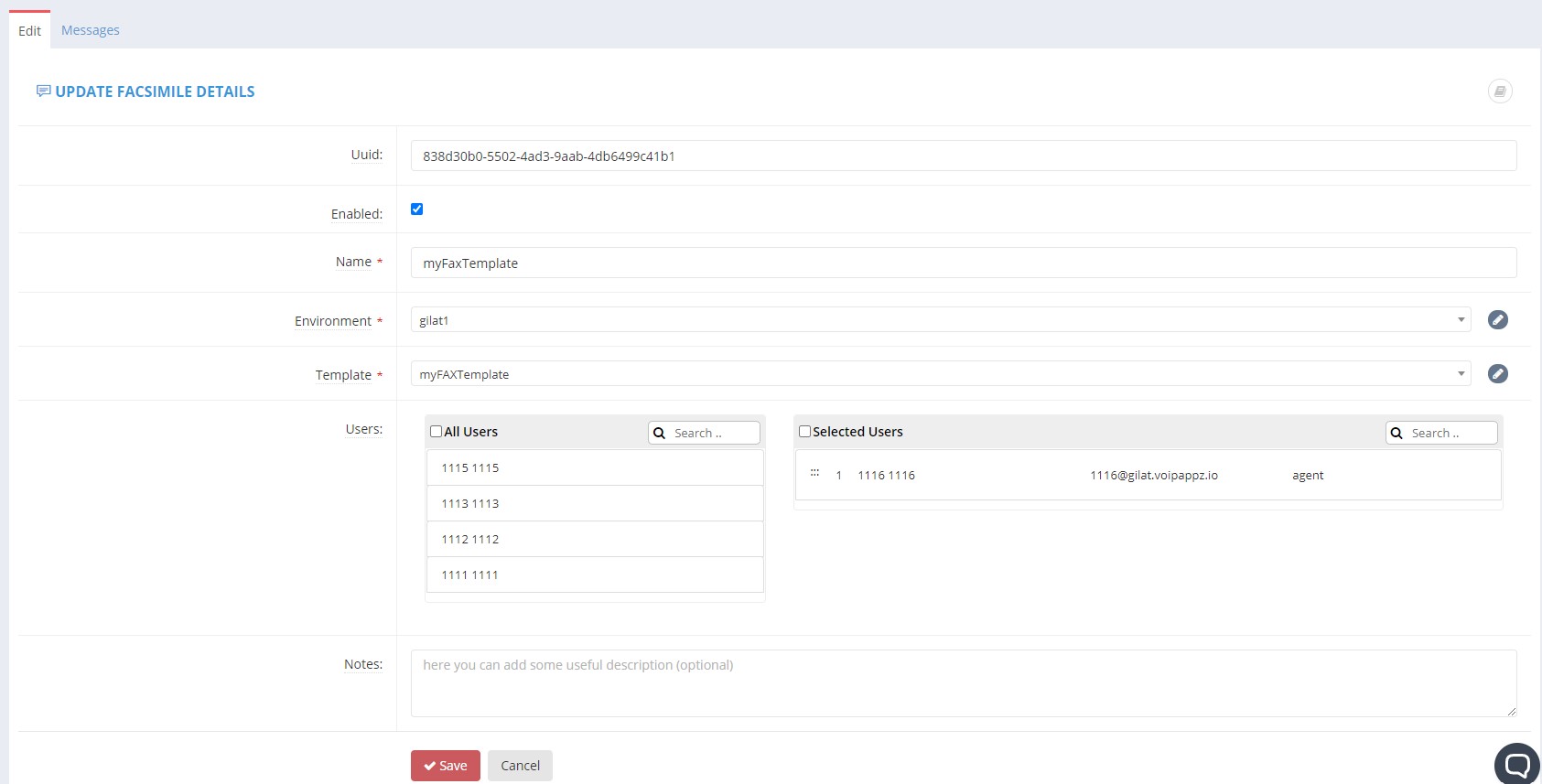
Fields:
- UUID (Edit screen only, read only) - A universally unique identifier (UUID) of the Extension
- Enabled - yes if checkbox is ticked
- Name – the name of the fax service. Since a fax service can be shred by 1 or more extensions, it can be assigned a name. If the service is one-to-one the name should reflect the extension number or the user name assigned to the extension.
- Environment - fax service Environment
- Template - the email template to send a new fax to the user when it is received
- Users -
- All users - List of all users and extensions in the selected Environment that are not subscribed to a fax service
- Selected Users - List of users and extensions selected to this fax service
- Use drag-and-drop to move users and extensions between the lists
- Notes:
After you are done creating the fax service click the "Save" button to save it.
Note the "Messages" tab at the top of the screen. All VM messages and fax messages for the selected extension will be placed there.
Comments
0 comments
Please sign in to leave a comment.