
The Voipappz application includes a powerful contacts management facility integrated into the system. When a call is received or made, the number is saved to the contact log automatically. When the call is answered, the contact screen pops-up on the screen.
You can:
- Note information during the call
- Add additional phone numbers that belong to the customer
- Review pervious calls' made and view relevant information captured during them
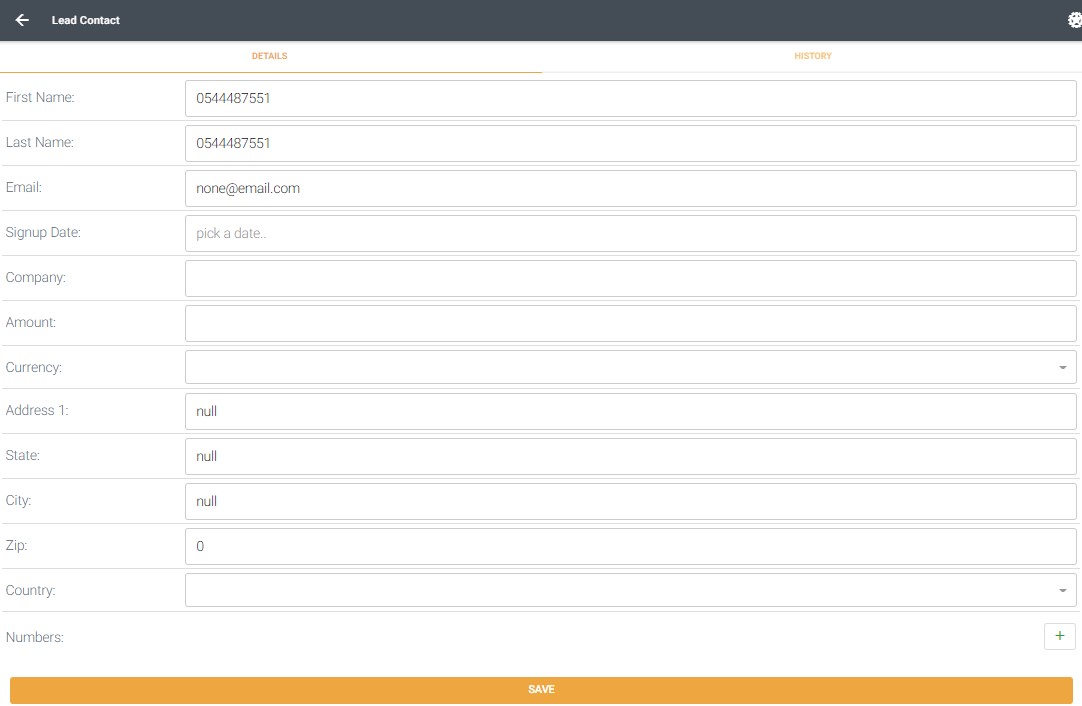
Note that the fields may be edited.
Press "+" icon to add numbers to this contact.
Press "save" to keep the information.
Contact History
To view contact's call history select the "History" tab (top left).

On this screen you can:
- View the history of calls with this contact
- Listen to a call (press the black triangle)
- Press the action (3 vertical dots icon) to download a call and adjust playback speed
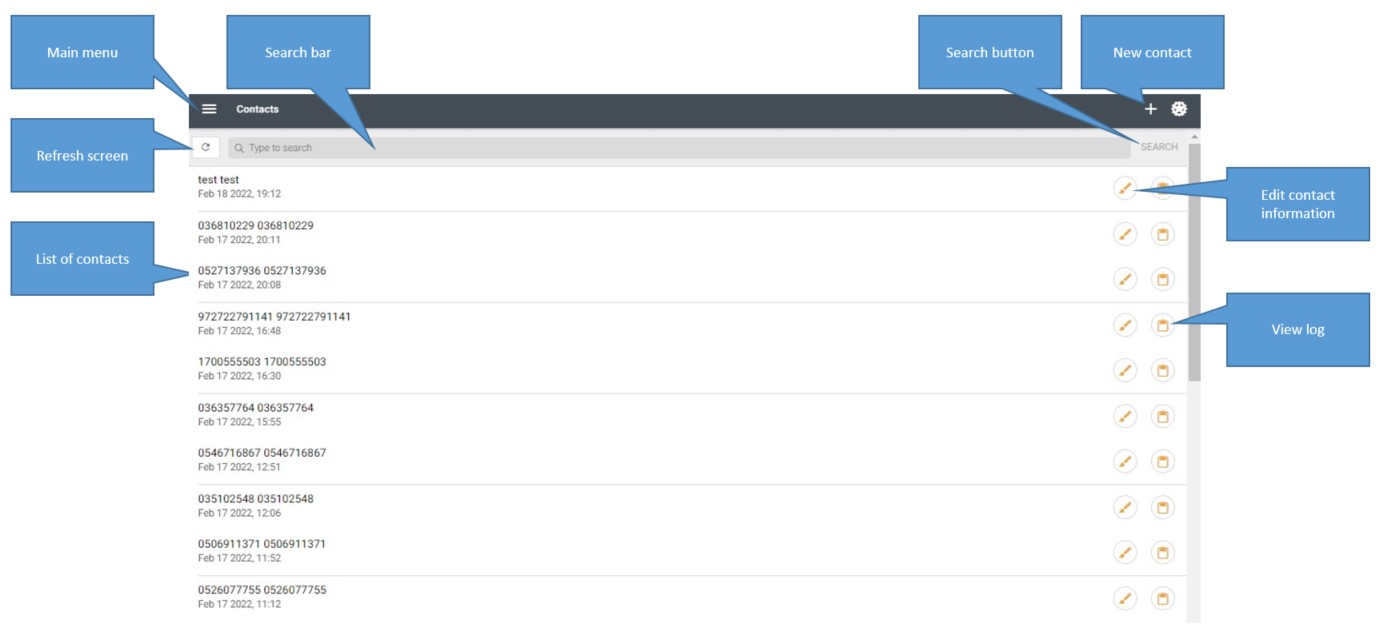
The main contact screen provides:
- List of contacts with last call information
- A search for a specific contact
- New contact
- Edit contact
- View call log (advanced)
Create a new contact
You can also create a new contact. On the main contact screen press the "+" icon.
You can edit the fields and select "save" to save the information.
Comments
0 comments
Please sign in to leave a comment.